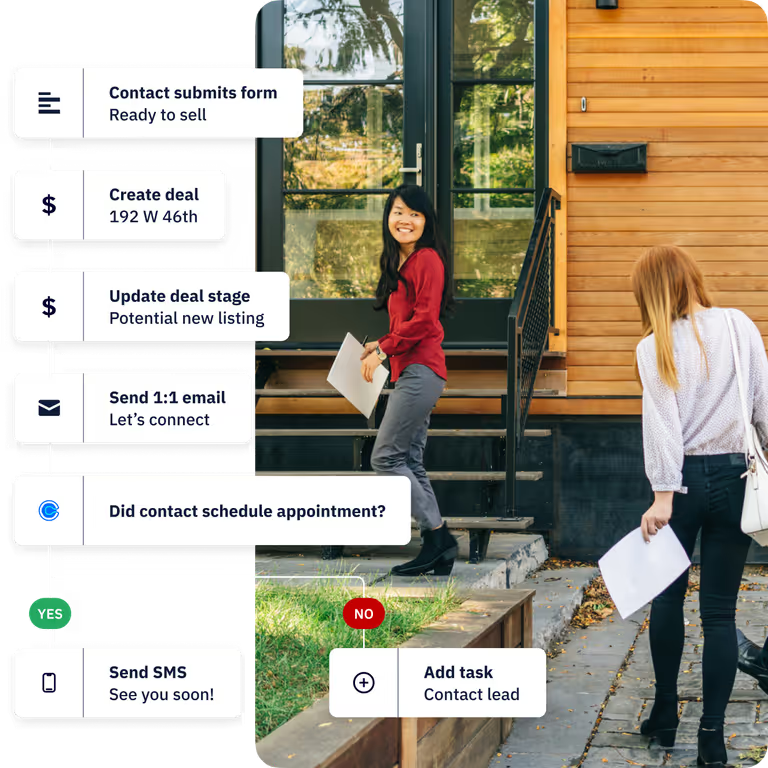
Customer data rarely becomes inconsistent because one person makes one obvious mistake. It drifts through small differences in spelling, field use, ownership, and timing. An automation can correct recurring patterns, yet it should begin with an explicit rule and a visible review path. The source material for HoopAI's automation page describes triggers, property updates, branches, delays, suppression, and step-level measurement. Those building blocks support a disciplined approach to data quality when the team defines what each rule is allowed to change.
Where inconsistent data starts
Start by tracing the moments when a record enters or changes. Form fills, list joins, page activity, and property updates are all identified as workflow triggers in the source page. Each trigger can introduce a different data shape. A visitor may type a country name in full, an imported list may use an abbreviation, and a team member may leave the same field blank. The practical problem is the absence of one accepted representation.
Record the inconsistency before writing a fix. Name the field, list the observed values, identify which systems write to it, and note the downstream work that depends on it. A routing rule based on lifecycle stage has different consequences from a cosmetic capitalization rule. This inventory gives reviewers enough context to decide whether an automatic change is safe, conditional, or inappropriate.
What formatting rules can standardize
Formatting rules work best on narrow, repeatable cases. They can normalize capitalization, trim accidental spaces, map approved abbreviations, or replace a known empty value after a qualifying event. Property updates are a supported action in the automation source, while branches allow different handling when conditions vary. Use those controls to keep the rule precise. A rule should state its trigger, accepted inputs, resulting value, and exclusions.
Do not use formatting logic to conceal uncertainty. Two company names that look similar may represent separate legal entities. A phone number without a country code may be impossible to interpret safely. Send ambiguous records to a review list instead of forcing a guess. Suppression and branching exist partly to keep an automation from repeating work or touching records that fail its conditions.
Choosing a first automation
Choose a field with frequent errors, clear accepted values, and limited risk if the rule fails. A standardized source label or lifecycle field is easier to review than an automation that changes ownership or deal status. Use one trigger and one principal update for the first version. Add delays, branches, and related actions only after the base rule behaves predictably on representative records.
Define a review log before activation. The source page describes conversion by step and diagnosis of drop-offs. For a data-quality automation, use available logs or a separate audit report to record how many records enter, change, are suppressed, or reach an exception branch. Compare a sample of the before and after values. The review should expose false corrections, not merely count completed actions.
Reviewing exceptions
An exception queue needs an owner, a review cadence, and a resolution field. Without those details, branches become a place where uncertain records accumulate. Give the reviewer the original value, proposed change, trigger event, and related customer context. Their decision can confirm the rule, reject it for that record, or identify a new pattern that deserves a separate rule.
Re-enrollment controls and suppression rules help prevent repeated processing. Review them whenever the source field, connected tool, or business definition changes. A useful automation remains small enough to explain from its trigger through every branch. That clarity lets operations teams correct the rule without rewriting history or trusting a hidden transformation.